Fuel Stop Records
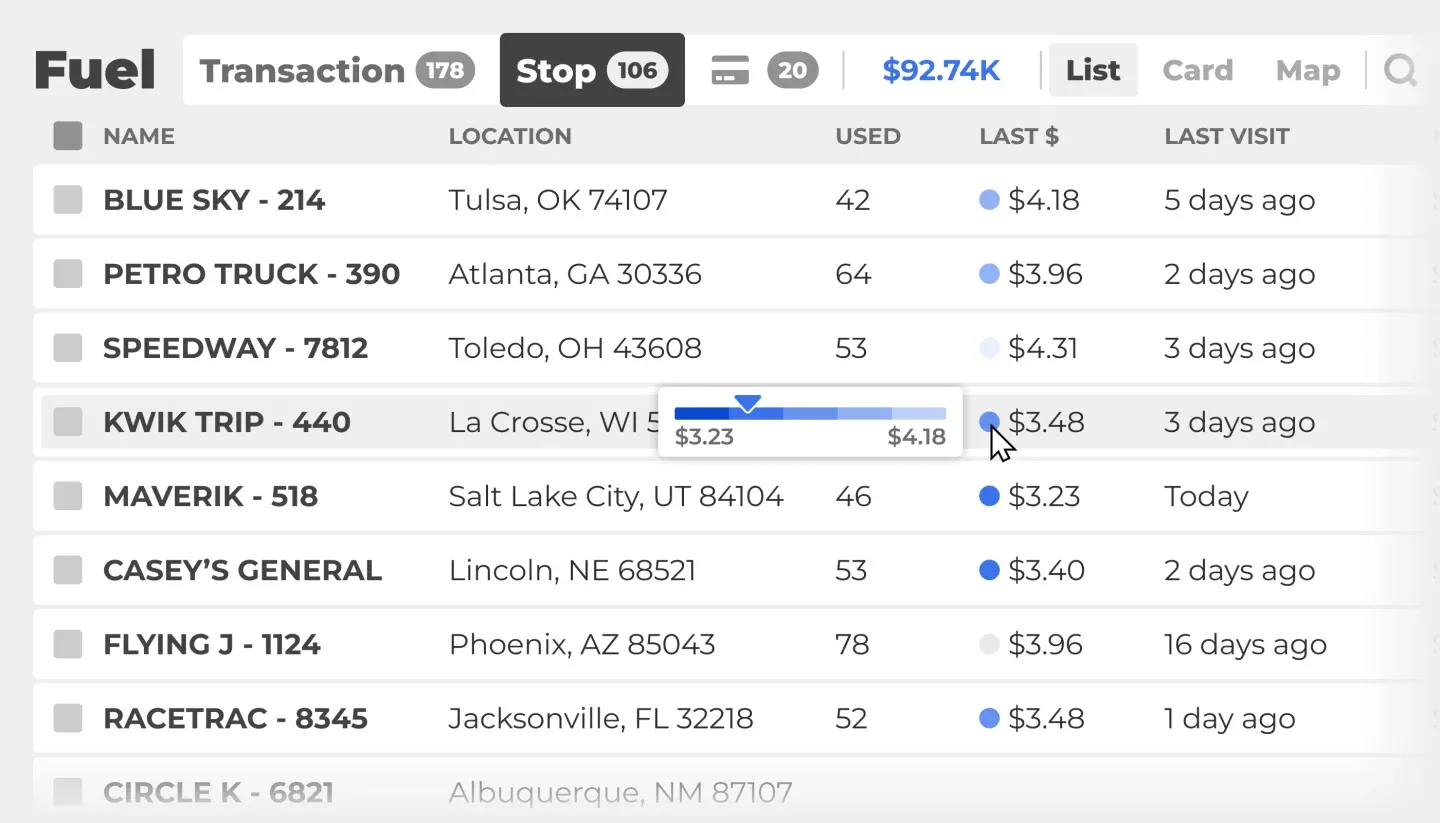
See every fuel stop with its location, usage count, last visit, and latest recorded price. Compare price ranges across stops to quickly spot cheaper and more expensive locations.
Know where every gallon goes
Import fuel transactions, compare prices across fuel stops, and track fleet fuel expenses in Carrier RUTE. Every transaction is linked to the truck and driver, so you always know where your fleet fuels and what it spends.
Automatic imports
Manual and imported fuel purchases live in the same list, so your team always sees complete fuel activity and expenses.
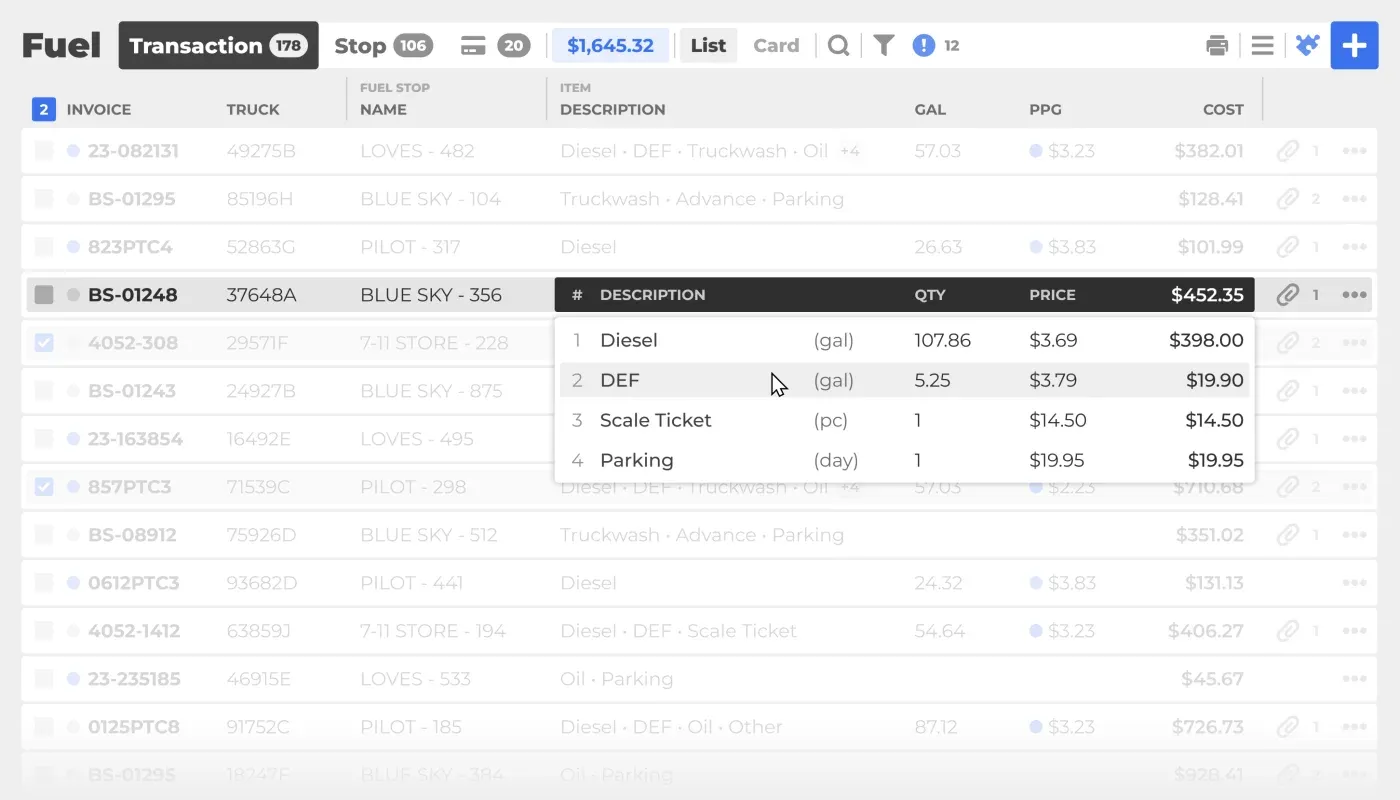
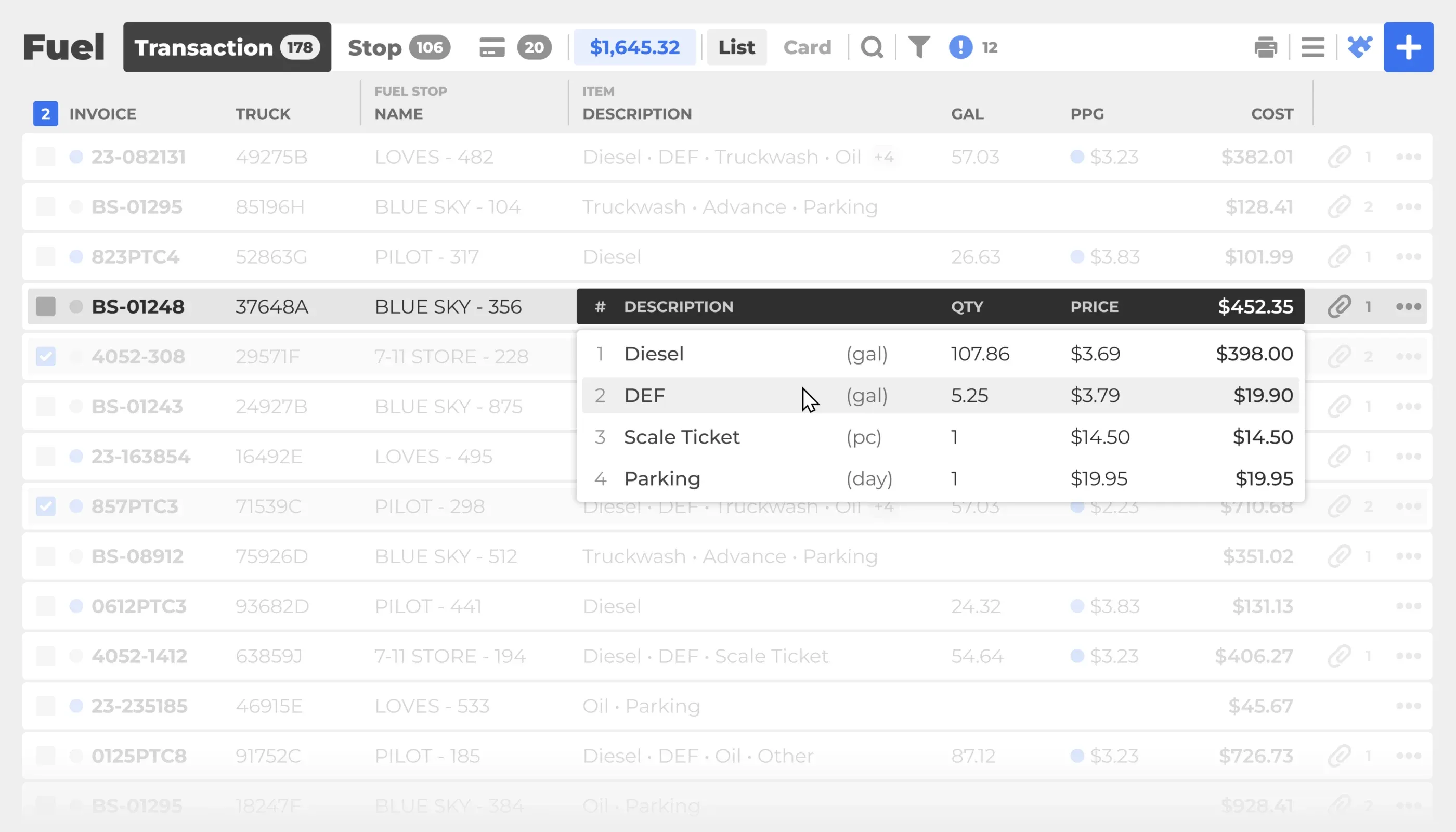
Transactions from connected WEX and EFS fuel cards are imported automatically. Open any transaction to see each item with its unit, quantity, price, and cost.
Key features:
Automatic transaction imports
Truck & driver assignment
Fuel & DEF tracking
Gallons & price per gallon
Additional items & total cost
The old TMS era is over
Smarter fueling
Everything you need to choose where your fleet refuels.
See every fuel stop with its location, usage count, last visit, and latest recorded price. Compare price ranges across stops to quickly spot cheaper and more expensive locations.
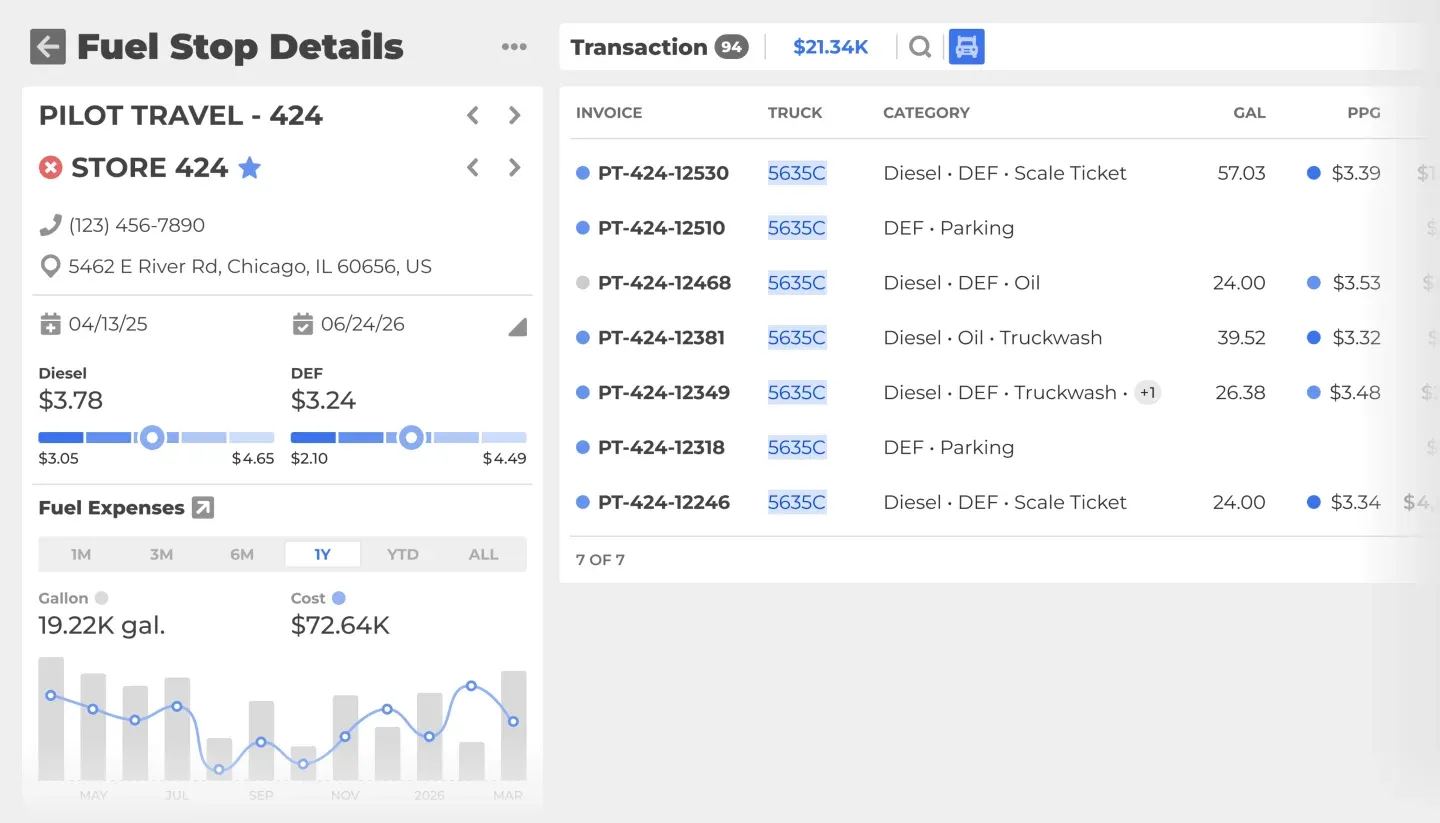
Check current and historical price ranges for the selected fuel stop, review its transaction history, and follow how gallons and fuel costs change over time.
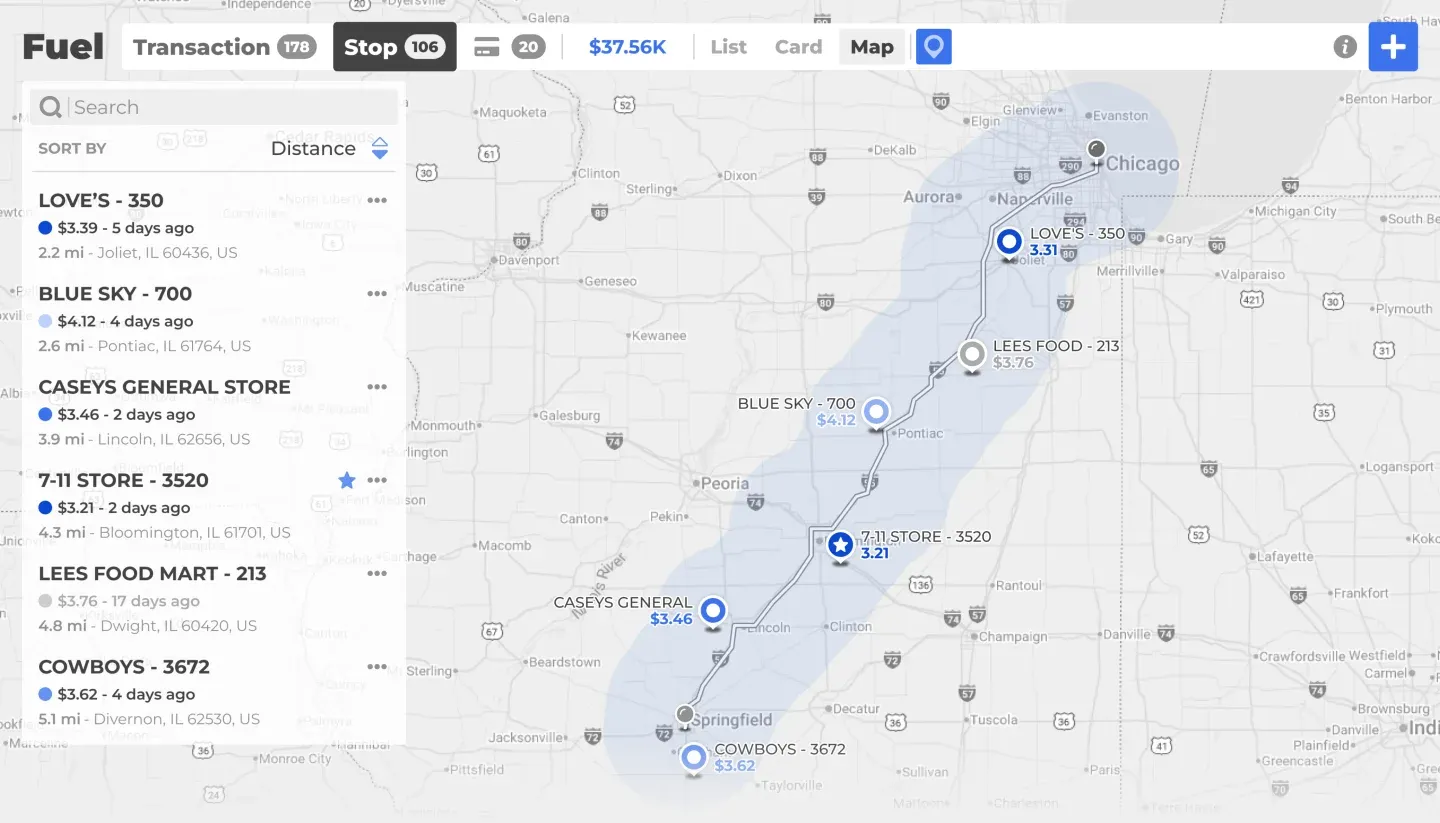
See fuel stops on an interactive map with pricing and location details. Filter stops along a specific route and compare them by distance, price range, and usage history.
Get a clearer view of fuel transactions, pricing, and fleet activity.
Answers to common questions about fuel tracking in Carrier RUTE.
Start managing loads, drivers, and routes in one place.